
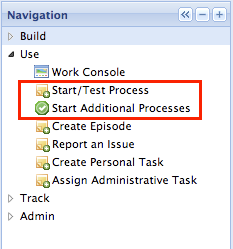
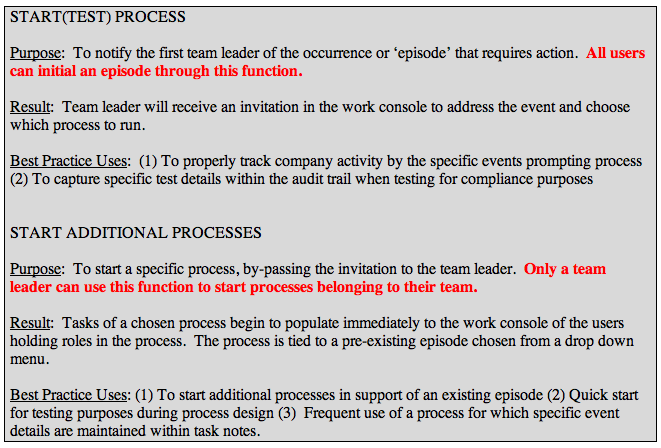
The Use Menu offers 2 methods to start processes. In this section we will review START ADDITIONAL PROCESSES
WHICH TO USE?
Step 1: Click on 
Step 2: Highlight the process or processes you would like to start and click the Start Selected Process

Step 3: From the menu that appears, select a title that best describes the reason you are running your selected process. As the new user, you will have just your title of your first test available.
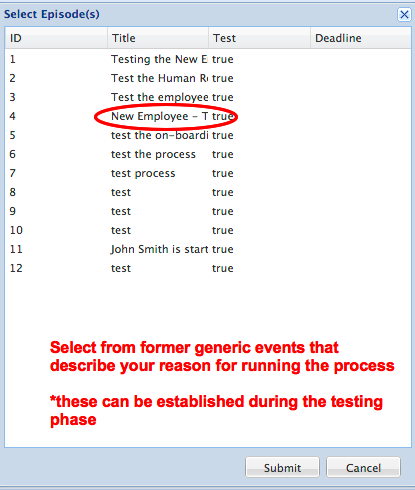
Step 4: Click ‘Submit’
Step 5: Return to your Work Console and the first task will appear under your active tasks.
Comments